Modifiers
Overview
The Modifiers feature in the inventory system allows users to customize and enhance inventory items by adding specific attributes, such as additional flavors, sizes, or other variations. This feature is critical for businesses that offer customizable products or services.
Modifiers List
The Modifiers List displays all created modifiers, showing details such as Name, Price, Types, Quantity, and Limit. This list serves as an overview of all item variations that can be applied to products within the inventory. To view the list of available modifiers within the system:
- From the main menu on the left side of the dashboard, select "Inventory" to open the corresponding submenu.
- Under Inventory, click "Modifiers." This will take you to the Modifiers List screen.
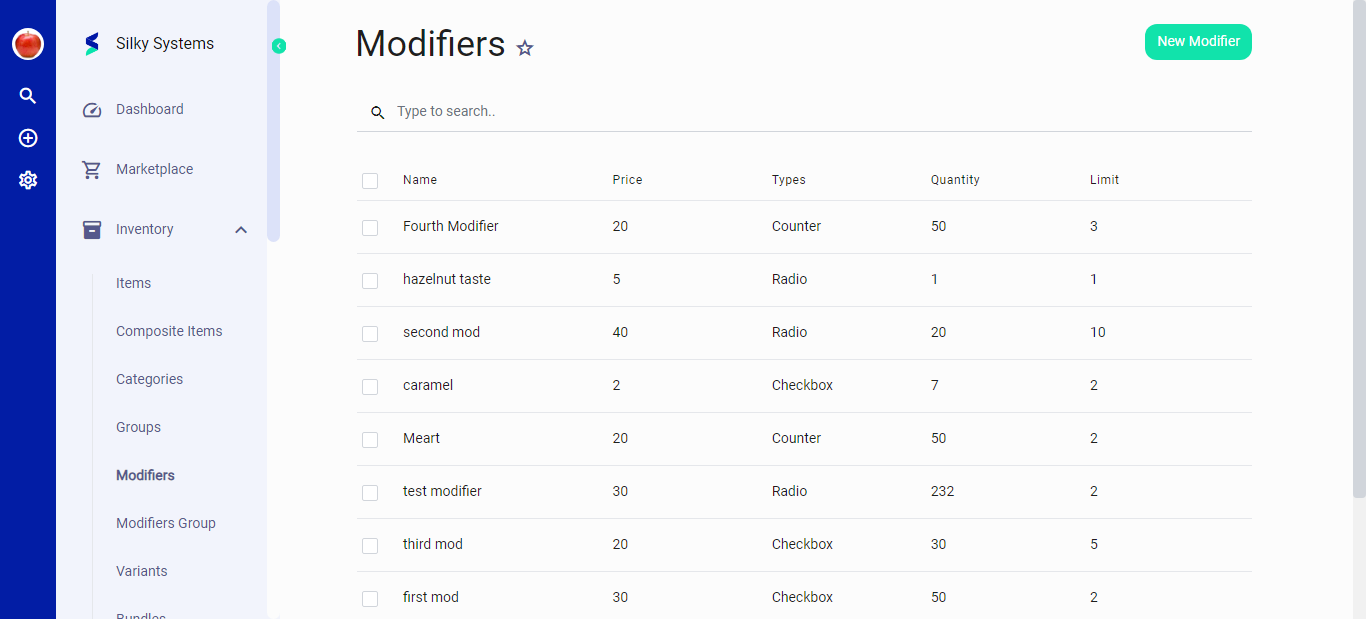 Figure.01: Modifiers List Screen
Adding a New Modifier
To add a new modifier:
- Click on the "New Modifier" button located at the top-right corner of the Modifiers screen.
- Fill in the details in the "New Modifier" form:
- Name: Enter a unique name for the modifier.
- Type: Select the type of modifier from the dropdown menu (e.g., Counter, Radio, Checkbox).
- Price: Set a price for the modifier if applicable.
- Quantity: Specify the default quantity.
- Limit: Set a limit for how many times this modifier can be applied.
- Tax: Choose the appropriate tax category if applicable.
Modifier Types
- Counter: Allows a numeric value to be associated with an item, useful for quantities.
- Radio: Enables the selection of a single option from a predefined set.
- Checkbox: Allows multiple selections from a set of options.
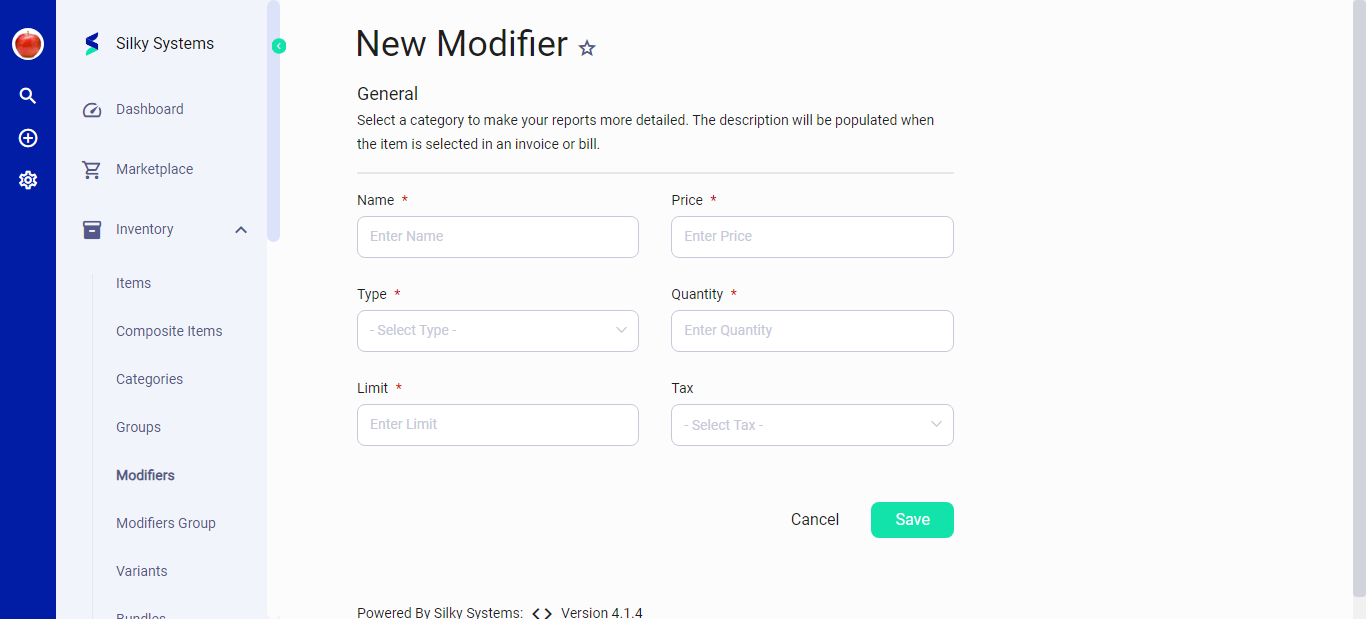 Figure.02: New Modifier Form
Editing an Existing Modifier
To edit an existing modifier:
- Locate the modifier you wish to edit from the Modifiers list.
- Click on the modifier entry to open the "Edit Modifier" form.
- Update any details as necessary, such as Name, Type, Price, Quantity, Limit, and Tax.
- Click "Save" to apply the changes.
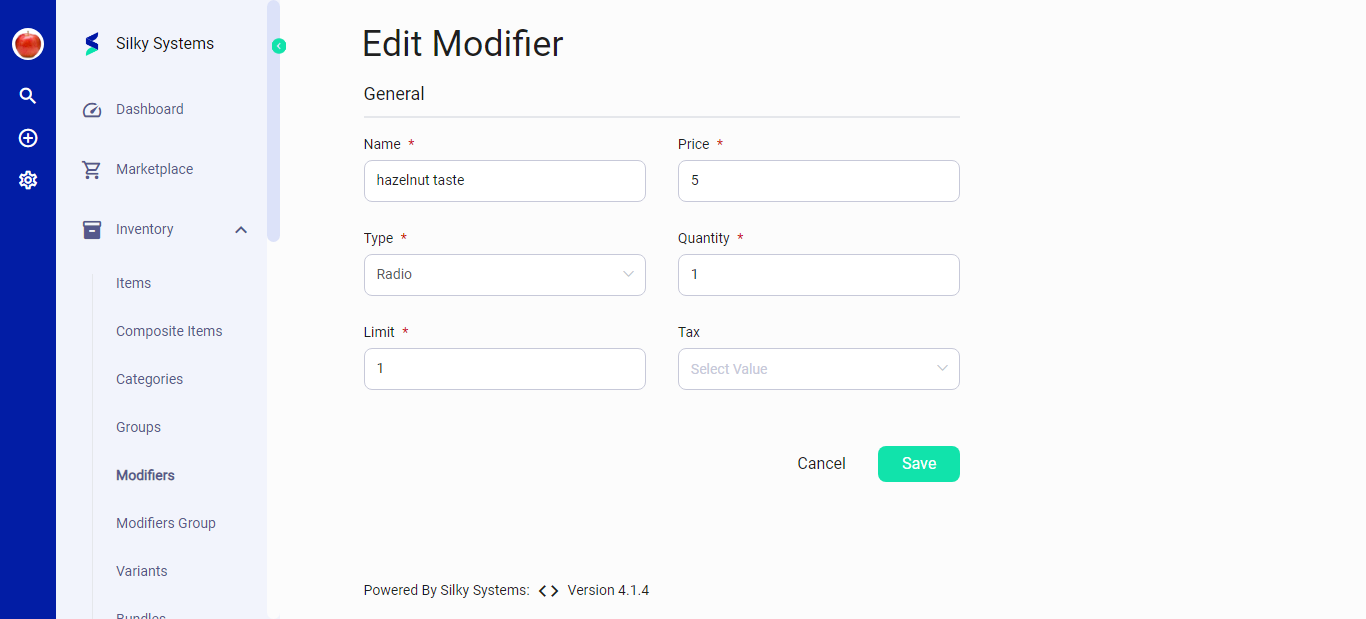 Figure.03: Edit Modifier Form
Note: The modifiers must be used responsibly to ensure accurate inventory tracking and reporting. It is recommended to review modifier settings periodically to ensure they reflect current offerings and pricing.