Shop
Silky Systems Marketplace Shop Page Overview
The Shop page is your gateway to a world of products. It's designed to provide you with a user-friendly interface to browse and discover a wide range of items effortlessly.
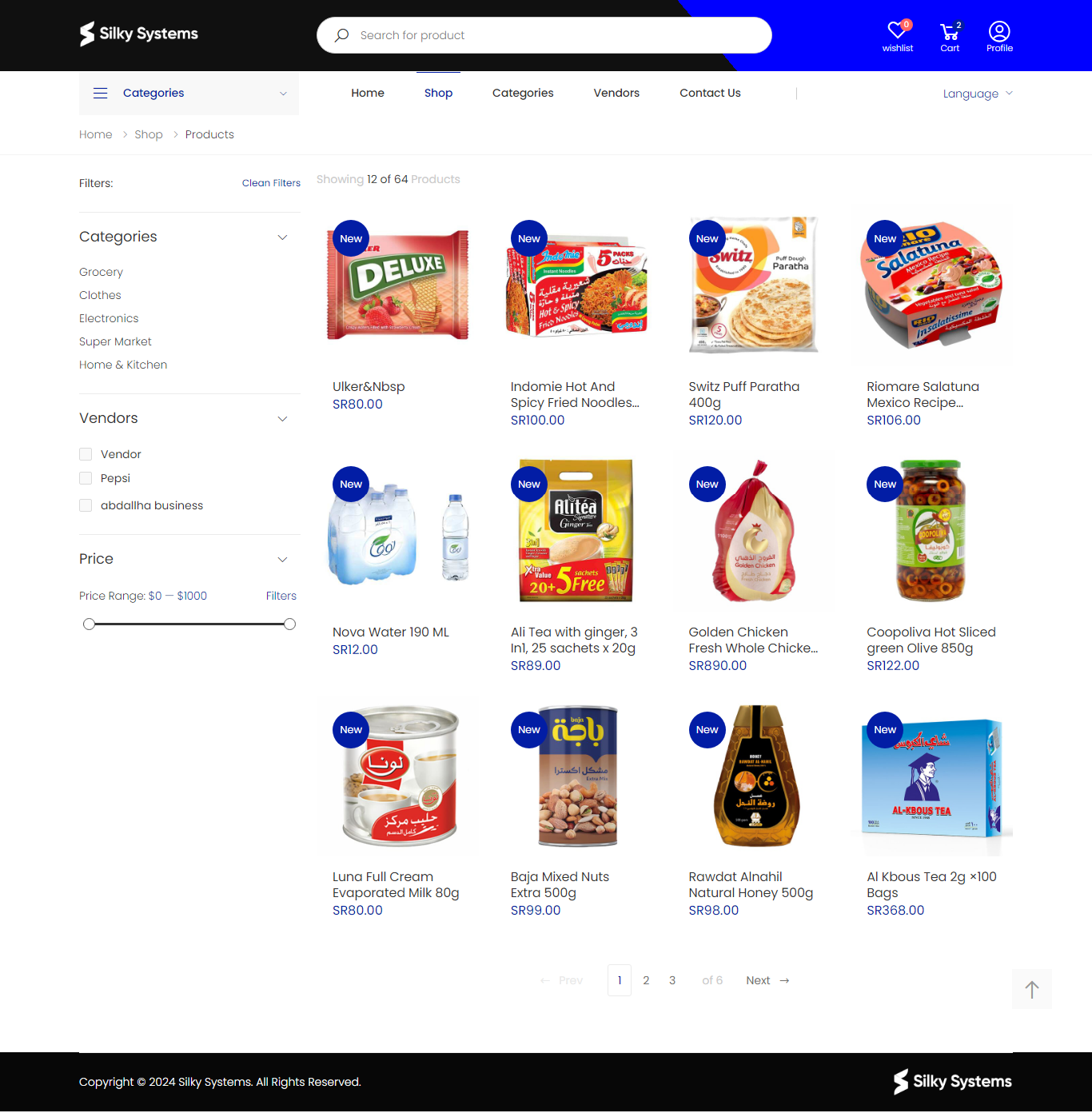
Features
- Product Listings: The main section displays products with images, names, and prices. Keep an eye out for the "New" tag to find the latest additions.
- Filters Panel: Refine your search with filters such as Categories, Vendors, and Price Range.
- Pagination: Easily navigate through product pages using the controls at the bottom.
Navigation
- Breadcrumb Trail: Located at the top to help you keep track of your navigation path (Home > Shop > Products).
- Search Bar: Conveniently positioned at the top for quick product searches.
Shopping Tools
- Wishlist: Save items for later by adding them to your wishlist.
- Cart: View selected items in your cart.
- Profile: Access your personal profile settings and order history.
Product Page
The Product page offers an in-depth view of individual items, allowing you to gather all the information you need before making a purchase decision.
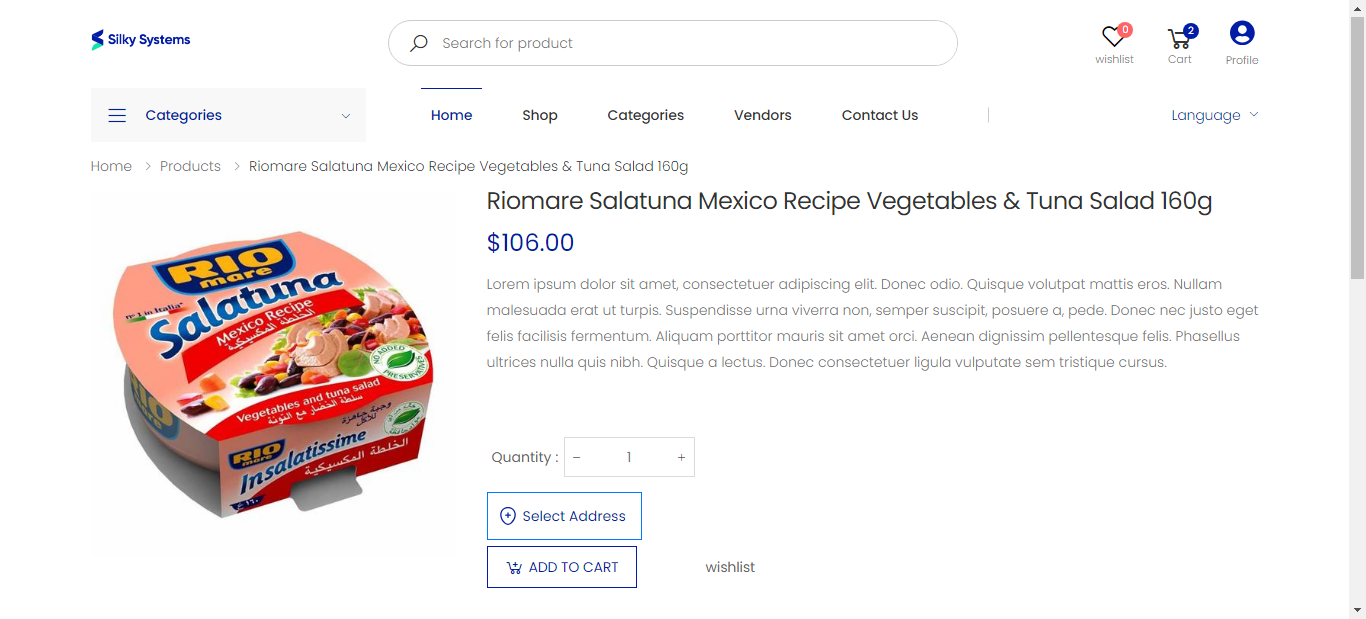
Features
- Product Image and Description: A clear image of the product accompanied by a detailed description.
- Price: The product's price is prominently displayed.
- Quantity Selector: Easily adjust the quantity of the item you wish to purchase.
Purchase
- Add to Cart: Quickly add items to your shopping cart.
- Wishlist: Option to save products to your wishlist for future consideration.
Navigation
- Breadcrumb Trail: Allows you to trace your steps back to previous pages (Home > Products > Specific Product).
Conclusion
We hope this user guide has provided you with valuable insights into navigating the Silky Systems Marketplace. Whether you're exploring our Shop page for a wide selection of products or diving into the details on the Product page, we strive to make your shopping experience enjoyable and efficient.
Happy shopping with Silky Systems!