Dashboard
Introduction
The dashboard is the main page of the application. It provides an overview of all the data in your organization and allows you to navigate to specific areas for more detailed analysis or interaction with the system. It serves as a visual representation of critical information, allowing users to monitor and analyze data efficiently. Its primary objectives include:
- Data Overview: Provide a concise overview of key metrics and trends.
- Decision Support: Assist decision-makers by presenting relevant insights.
- Real-Time Monitoring: Enable real-time tracking of performance and KPIs.
- Identify Anomalies: Highlight anomalies or areas requiring attention.
- User-Friendly Interface: Offer an intuitive interface for data exploration.
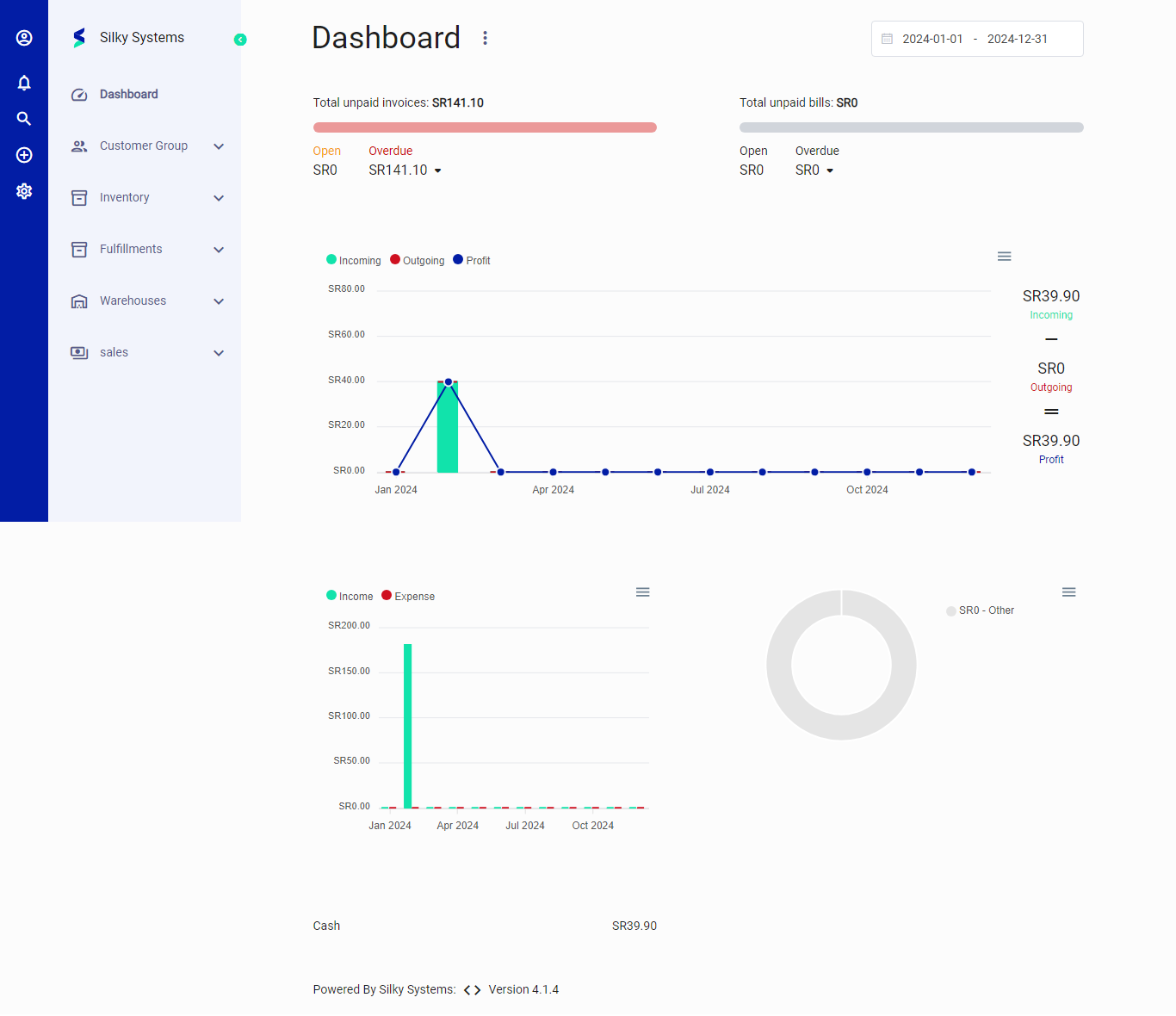
Charts in Silky System Dashboard
Now, let's explore each chart in the Silky Systems Dashboard:
-
Total Unpaid Invoices:
- Purpose: To track outstanding invoices and manage cash flow.
- Usage: Users can quickly identify the total amount of unpaid invoices, including open and overdue ones.
-
Line Graph (Incoming, Outgoing, Profit):
- Purpose: Visualize financial trends over time.
- Usage:
- Incoming: Represents income (e.g., sales, revenue).
- Outgoing: Depicts expenses (e.g., operational costs, purchases).
- Profit: Shows the difference between income and expenses.
- Insights: Detect patterns, seasonality, or sudden changes.
-
Bar Graph (Income vs. Expense):
- Purpose: Compare monthly income and expenses.
- Usage: Analyze variations, identify cost-saving opportunities, and assess profitability.
- Actionable Insights: Adjust spending, optimize resources, or explore revenue channels.
-
Circular Chart Placeholder:
- Purpose: Awaiting data or placeholder for additional insights.
- Usage: Once populated, it could represent a breakdown (e.g., expense categories, customer segments).
-
System Information:
- Purpose: Acknowledge the software powering the dashboard.
- Usage: Provides context and version details.
Remember, dashboards are powerful tools when used effectively. They empower users to make informed decisions and drive organizational success. 📊